
Share your achievements
Achievements creates a public attack-graph page for sharing your hands-on progress. Publishing is optional, remains private by default and applies to all your courses.
What your public page looks like
Section titled “What your public page looks like”Each course is represented as an attack graph. Machines change state as you complete their Tasks, allowing anyone who opens the link to recognize your progress at a glance.
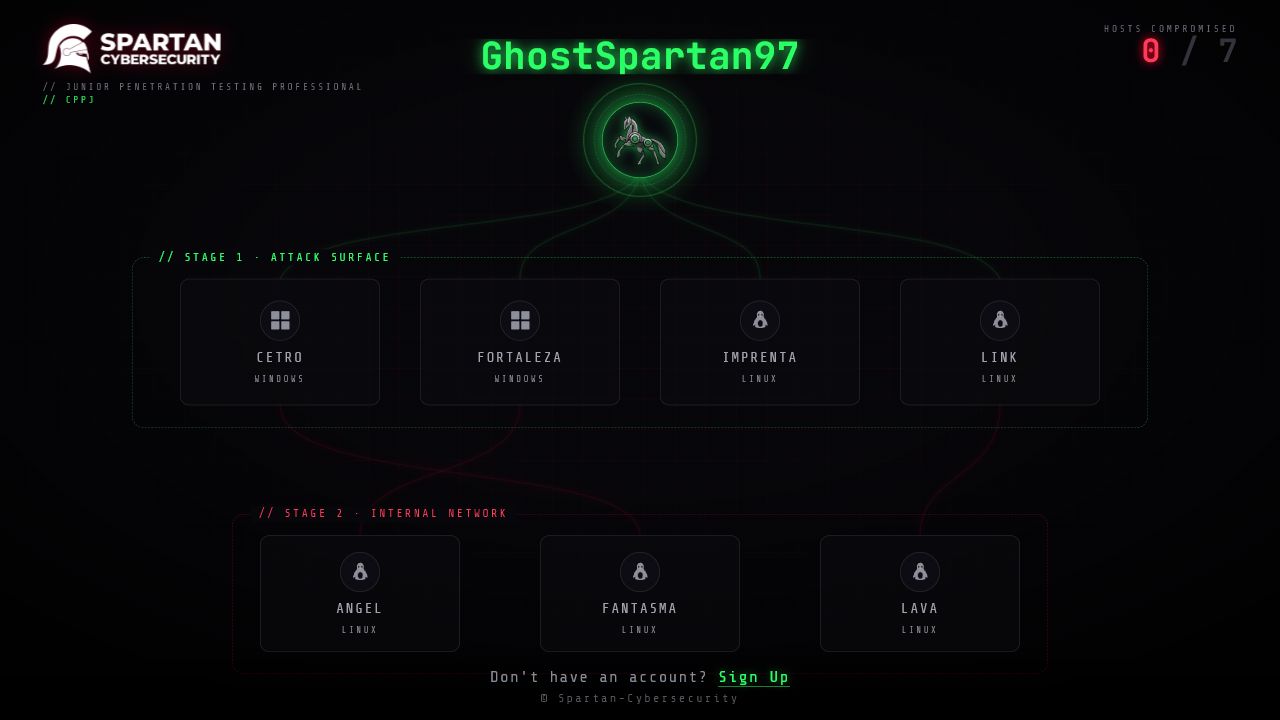
What the public achievement shows
Section titled “What the public achievement shows”The public page may show:
- your public nickname;
- the corresponding course;
- the Tasks that the platform records as compromised;
- progress earned in current and future courses.
Your real name and email are not shown on the public achievement.
Set your public nickname
Section titled “Set your public nickname”The nickname is the identity shown on your achievements. It is not your profile name, email or student ID.
- Open your account menu.
- Select Achievements.
- Under Public Nickname, select Choose nickname.
- Enter the nickname and select Save.
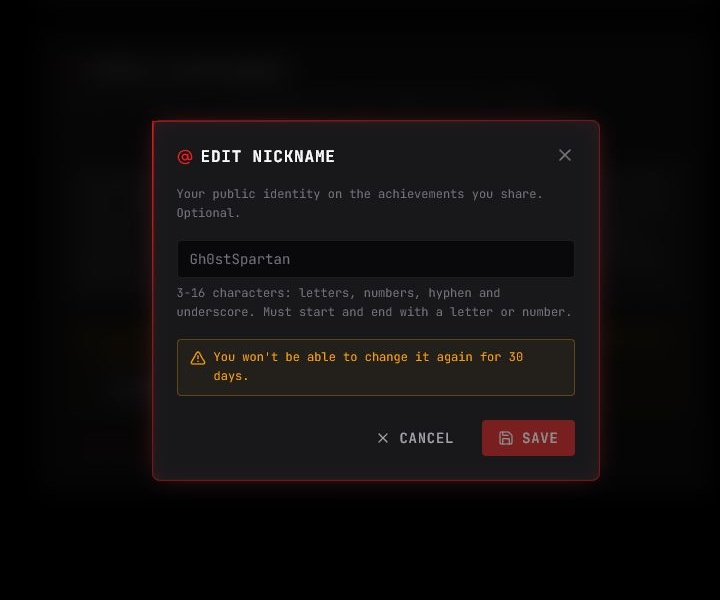
The nickname must:
- contain 3 to 16 characters;
- use letters, numbers, hyphens (
-) or underscores (_); - start and end with a letter or number.
After saving it, you must wait 30 days before changing it again.
Publish the achievement
Section titled “Publish the achievement”- Review the Public Achievement explanation and confirm that you understand what will become visible.
- Select I confirm that I am 18 years old or older.
- Select Publish my achievement.
- Return to a course’s Tasks and select Share in the Progress panel.
The panel shows the public link and actions for copying it, opening the public page, or sharing it on LinkedIn, Facebook and X.
Authorization is global: it is not limited to the course you currently have open. Courses you complete later may also appear in the same public experience.
Make it private again
Section titled “Make it private again”Open Achievements and select Make private. The public link stops working, although copies, screenshots and previews stored by third parties may persist.